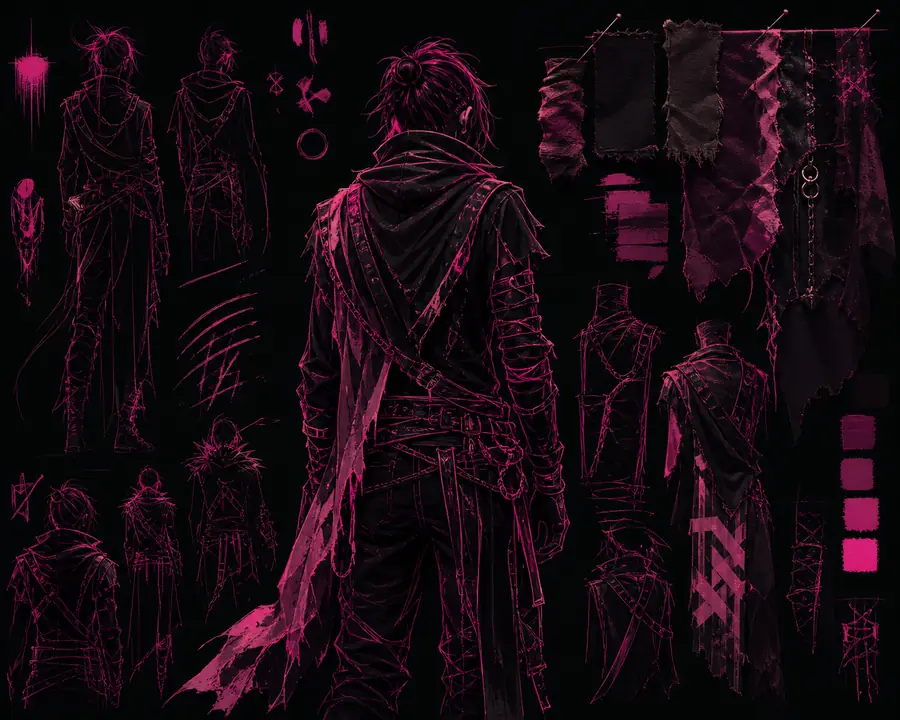
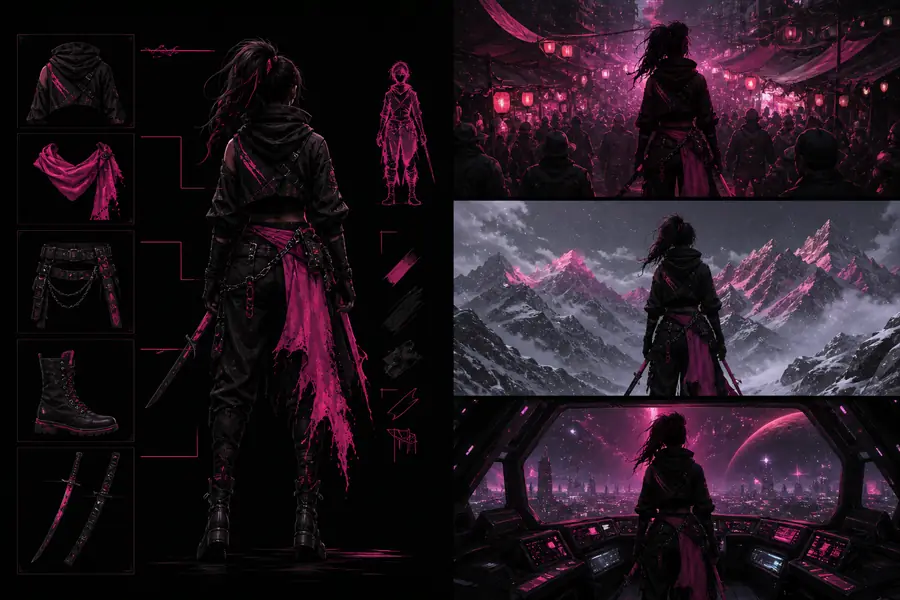
OpenArt AI character workflows help turn a reference, description, or rough concept into a repeatable visual identity. The key is not one perfect prompt; it is a disciplined setup that keeps the face, costume, proportions, and mood aligned across multiple images.
Use the guide below to plan a character sheet before generating a larger set of scenes.
Prerequisites
Before opening the character workspace, collect one clear reference or write a compact identity brief. Include age range, silhouette, hair, key facial features, clothing anchors, color palette, and the role the character plays. A clean front-facing image is usually easier to reuse than a busy action shot. If you are starting from text alone, the openart ai image generator page explains the broader prompt-to-image workflow.
Prepare the identity
Choose a reference with visible facial structure and write five to seven traits that must remain stable in every scene.
Define the visual rules
Set the intended style, framing, lighting, clothing details, and background flexibility before exploring variations.
Generate a small set
Make several controlled options first, then select the strongest expression and proportions as your working baseline.
01 / Workflow
One full run-through
A reliable OpenArt AI character run begins with consistency, not complexity. Start with the subject and only then add the scene.
Indie comic artist
Upload a neutral reference, describe the character’s distinctive jacket and silver braid, then request three-quarter portraits before moving to action poses.
Build a clean hero portrait first, save the strongest description, and reuse the same identity language while changing locations, props, and expressions.
For a character to feel recognizable, repeat the same identity anchors in the prompt and avoid changing several variables at once. If the face drifts, return to a simpler portrait and rebuild from there. If the outfit changes, describe its shape and material rather than relying on a color alone. When the baseline is stable, the openart ai animate video workflow can become a natural next step for performance tests.
02 / Decision board
Options table
Choose the simplest option that protects the part of the character you care about most.
InputBest forWatch for
Text briefNew concepts and fast ideationFace and outfit drift
Reference imageRecognizable identity anchorsBusy or unclear source images
Portrait baselineExpressions and scene variationsOver-changing pose and lighting
Edited outputSmall repairs and refinementsEdits that alter the silhouette
Before / loose conceptAfter / repeatable direction
The practical improvement comes from narrowing the identity brief and changing one production variable at a time, not from adding more adjectives.
03 / Troubleshooting
What fails
Most weak character sets fail for predictable reasons. Fix the input before trying to force a dramatic new style.
Too many traits
A long prompt can make the important features compete. Reduce the brief to the face, silhouette, signature clothing, and one style direction.
Expect some variation: generative systems are better at preserving a strong visual direction than guaranteeing pixel-identical faces. Save the best baseline, keep prompts short, and reject outputs that lose defining traits early. A character workflow becomes more dependable when it is treated as a reference library rather than a single generation.
04 / Planning tool
OpenArt AI character FAQ
Estimate how much review time a character set may take before you start expanding it into scenes.
18 minestimated review time at three minutes per variation
Can OpenArt AI keep a character’s face consistent?
It can help preserve a recognizable direction when you use a clear reference, repeat the core identity traits, and keep major visual variables controlled. It should not be treated as a guarantee of identical facial geometry in every output.
What kind of reference works best for an OpenArt AI character?
A well-lit, uncluttered portrait or character sheet is usually easier to work with than a crowded image. Include enough of the silhouette and signature clothing for the subject to remain recognizable beyond a close-up face.
Can I use the same character in different scenes?
Yes, scene changes are a common use case, but consistency improves when you preserve the identity brief and alter one scene variable at a time. Build a stable portrait first, then test pose, setting, and lighting separately.
Is an OpenArt AI character workflow suitable for video?
It can be a useful preparation step for video because a still-image baseline gives you a visual reference before motion is added. Test the character in several still poses first, then move to animation once the design is dependable.